
Kubernetes Upgrades: Making Them Boring

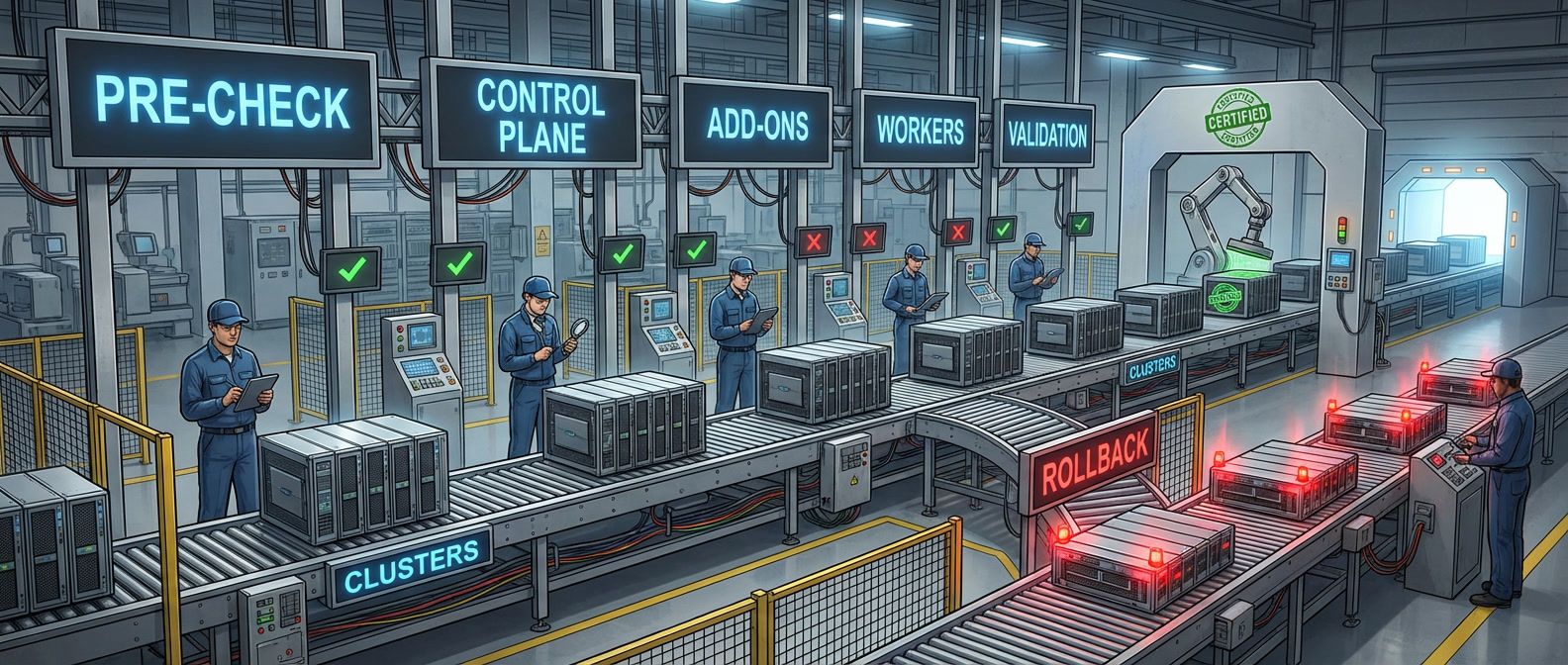
Table of Contents
Kubernetes releases new versions roughly every four months. Each version brings new features, deprecates old APIs, and eventually removes them. Fall behind and you’re accumulating upgrade debt: missed security patches, deprecated APIs piling up in your manifests, and eventually a multi-version jump that’s far riskier than incremental updates would have been.
Yet upgrades feel scary. The control plane manages everything - one mistake can take down the entire cluster. So teams delay. “Everything is working fine” becomes the justification for running a version that’s a year out of support.
I watched this play out at a company that avoided upgrades for 18 months. When they finally had to upgrade for security compliance, they faced a five-version jump. Deprecated APIs were everywhere. Custom controllers broke. Workloads failed in ways nobody expected. What should have been four routine 2-hour maintenance windows became a three-week crisis involving weekend war rooms and executive escalations.
The riskiest upgrade is the one you’ve been avoiding. Each version you skip accumulates: deprecated APIs, changed behaviors, incompatible add-ons. A cluster 3+ versions behind is an emergency waiting to happen.
The lesson: frequent, incremental upgrades are less risky than infrequent large jumps. The goal of this playbook is to make upgrades boring - predictable procedures that happen quarterly without drama.
Upgrade Preparation
Pre-Upgrade Checklist
Most upgrade failures trace back to skipped preparation. Before touching the cluster, work through four categories of readiness checks.
- Timing and planningComes first. Review the release notes for your target version - not just the highlights, but the deprecations and breaking changes. Kubernetes only supports upgrading one minor version at a time (1.28 to 1.29 is fine, 1.28 to 1.30 isn't), so verify your upgrade path. Schedule a maintenance window with buffer time: even "zero-downtime" upgrades can hit unexpected issues that need investigation.
- Cluster healthEstablishes your baseline. All nodes should show Ready status. There shouldn't be unexpected pending pods. Control plane components and etcd should be healthy. Resource utilization should be below 70% - upgrades temporarily reduce capacity as nodes drain and restart, so you need headroom.
- Backup and recoveryYour safety net. Take an etcd snapshot before starting. Document current cluster state with kubectl get all -A -o yaml. Most importantly, document and test your rollback procedure in a non-production environment before you need it.
#!/bin/bash

# Take etcd backup before upgrade (kubeadm clusters)
etcdctl snapshot save /backup/etcd-pre-upgrade-$(date +%Y%m%d).db \
  --endpoints=https://127.0.0.1:2379 \
  --cacert=/etc/kubernetes/pki/etcd/ca.crt \
  --cert=/etc/kubernetes/pki/etcd/server.crt \
  --key=/etc/kubernetes/pki/etcd/server.key

# Verify backup is valid
etcdctl snapshot status /backup/etcd-pre-upgrade-$(date +%Y%m%d).dbCompatibility verification catches the issues that break workloads. Check that your add-ons - CNI plugin, CSI drivers, ingress controller, cert-manager, monitoring stack - are compatible with the target version. Run custom controllers against the target version in staging. Validate workload manifests for deprecated APIs.
| Category | Key Checks | Abort If |
|---|---|---|
| Timing | Release notes reviewed, upgrade path valid | Multi-version jump required |
| Health | Nodes Ready, pods running, etcd healthy | Unhealthy components |
| Backup | etcd snapshot taken, rollback tested | Backup failed |
| Compatibility | Add-ons verified, deprecated APIs addressed | Incompatible add-ons |
Deprecated API Detection
Deprecated APIs are the most common source of upgrade failures. An API that works today returns 404 after upgrade, breaking deployments, controllers, and CI pipelines. Catching these before the upgrade is essential.
The API server tracks which deprecated APIs are being actively used. Query the metrics endpoint to see what’s at risk:
kubectl get --raw /metrics | grep apiserver_requested_deprecated_apisThis shows runtime usage, but it won’t catch APIs in manifests that haven’t been applied recently. For static analysis, Pluto scans manifests and Helm releases against a target Kubernetes version:
#!/bin/bash
# Scan for deprecated APIs targeting Kubernetes 1.29
# Note: helm template without values files may miss APIs used only with custom values
TARGET_VERSION="1.29"

# Scan all cluster resources
kubectl get all -A -o yaml | pluto detect -t k8s=v${TARGET_VERSION} -

# Scan Helm releases (uses default values only)
for release in $(helm list -A -q); do
  namespace=$(helm list -A | grep "^$release" | awk '{print $2}')
  helm template "$release" --namespace "$namespace" | \
    pluto detect -t k8s=v${TARGET_VERSION} - 2>/dev/null || true
doneSome deprecations are particularly disruptive. PodSecurityPolicy was removed in 1.25 - clusters using PSP need to migrate to Pod Security Admission before upgrading past 1.24. Ingress v1beta1 was removed in 1.22. CronJob v1beta1 was removed in 1.25. Check the Kubernetes deprecation guide for your specific upgrade path.
Also verify version skew between the control plane and worker nodes. Kubernetes supports kubelets up to two minor versions older than the control plane. If you’re upgrading from 1.28 to 1.29 but some nodes are still on 1.26, you’ll hit skew limits.
Run deprecated API detection continuously, not just before upgrades. Pluto in CI catches new deprecated API usage in PRs before it reaches the cluster. The best time to fix a deprecated API is when the PR is open, not during upgrade prep.
Upgrade Ordering
Kubernetes components have strict version compatibility requirements. The API server can be at most one minor version ahead of the controller-manager and scheduler, which can be at most one minor version ahead of the kubelet. This means you can’t upgrade everything simultaneously - there’s a required sequence, and during parts of the upgrade you’ll have components at different versions running together.
The good news: this is by design and fully supported. Kubernetes explicitly allows version skew during upgrades. If you’re upgrading from 1.28 to 1.29, you’ll temporarily have 1.29 API servers serving requests alongside 1.28 kubelets on worker nodes - and that’s fine. Worker nodes continue operating normally while the control plane upgrades - they just can’t create new pods or update existing ones until the API server is back. For HA clusters with multiple control plane nodes, you upgrade them one at a time, so at least one API server is always available (though there may be brief gaps during leader election).
Component Upgrade Sequence
The order of operations matters. Upgrade in the wrong sequence and you’ll hit version skew limits, incompatible components, or cascading failures. The sequence is: control plane first, then add-ons, then worker nodes.
- Phase 1: Preparation (30 minutes).Run final health checks - all nodes Ready, no unexpected pending pods. Take a fresh etcd backup. Notify on-call, update the status page, and pause non-critical deployments.
- Phase 2: Control plane (30-60 minutes).This is the highest-risk phase, and the mechanics vary by cluster type.
For self-managed HA clusters (kubeadm with multiple control plane nodes), you upgrade one control plane node at a time. The first node gets kubeadm upgrade apply, which upgrades the API server, controller-manager, scheduler, and etcd on that node. Remaining control plane nodes get kubeadm upgrade node. During each node’s upgrade (typically 2-5 minutes), that node’s API server is unavailable, but other control plane nodes continue serving requests. There’s brief disruption during leader election when the active controller-manager or scheduler node upgrades, but workloads aren’t affected.
For single control plane clusters, the API server is unavailable during the upgrade. Existing workloads continue running - pods don’t restart just because the API server is down - but nothing can deploy, scale, or update until the control plane is back. This is why single control plane clusters should have short maintenance windows.
For managed Kubernetes (EKS, GKE, AKS), the cloud provider handles the mechanics. They typically use a similar rolling approach internally, but you don’t control the timing. EKS and AKS upgrade the control plane atomically from your perspective - you run the command and wait. GKE gives more visibility into the process. In all cases, there’s a period (typically 10-30 minutes) where control plane operations may be slow or unavailable.
# Self-managed (kubeadm)
kubeadm upgrade apply v1.29.0

# EKS
eksctl upgrade cluster --name my-cluster --version 1.29

# GKE
gcloud container clusters upgrade my-cluster --master --cluster-version 1.29

# AKS
az aks upgrade -g my-rg -n my-cluster --control-plane-only --kubernetes-version 1.29- Phase 3: Add-ons (15-30 minutes).Upgrade cluster add-ons to versions compatible with the new control plane. CNI plugin first - it must be compatible with the new kubelet version you're about to deploy. Check your CNI's compatibility matrix (Calico, Cilium, and AWS VPC CNI all publish version support tables). Then CoreDNS, metrics-server, cert-manager, ingress controller, and monitoring stack. Verify each one works before proceeding to the next - a failed CoreDNS upgrade will break DNS resolution cluster-wide.
- Phase 4: Worker nodes (10-15 minutes per node).For each worker node: cordon it (prevent new pod scheduling), drain it (evict existing pods), upgrade the kubelet, then uncordon it. Verify the node shows Ready before moving to the next one.
#!/bin/bash

# Worker node upgrade sequence
NODE="worker-1"
kubectl cordon $NODE
kubectl drain $NODE --ignore-daemonsets --delete-emptydir-data --timeout=300s

# On the node itself (kubeadm clusters)
apt-get update && apt-get install -y kubelet=1.29.0-00 kubectl=1.29.0-00
systemctl daemon-reload && systemctl restart kubelet

# Back on a machine with kubectl access
kubectl uncordon $NODE
kubectl wait --for=condition=Ready node/$NODE --timeout=120s- Phase 5: Validation (15-30 minutes).Run comprehensive health checks: all nodes Ready, all system pods Running, no unexpected pending pods. Run application smoke tests: API calls, ingress routing, DNS resolution, storage access. Verify monitoring is collecting metrics and logs.
| Phase | Duration | Risk Level | Rollback Difficulty |
|---|---|---|---|
| Preparation | 30 min | Low | N/A |
| Control Plane | 30-60 min | High | Hard (restore from backup) |
| Add-ons | 15-30 min | Medium | Medium (reinstall previous) |
| Workers | 10-15 min/node | Low | Easy (don't uncordon) |
| Validation | 15-30 min | Low | N/A |
Control plane upgrades are the highest-risk phase. API server downtime affects all kubectl operations, controllers, and workloads trying to update. Have your rollback procedure ready and tested before touching the control plane.
Risk Reduction Strategies
Canary Cluster Pattern
If you have multiple clusters, don’t upgrade them all at once. Use a tiered approach where non-critical clusters serve as canaries for critical ones.
- 1Tier 1: Canary clusters (dev, staging, internal tools).Upgrade these first on day one. Let them soak for 3-5 business days while monitoring error rates, API server latency, node stability, and workload health. If issues surface, you've caught them before touching production.
- 2Tier 2: Non-critical production (secondary regions, batch processing clusters).Upgrade after tier 1 completes its soak period successfully. Monitor for 5-7 business days. Include business metrics alongside infrastructure metrics.
- 3Tier 3: Critical production (primary region, customer-facing clusters).Upgrade last, after tier 2 soaks. Take extra precautions: upgrade during low-traffic windows, add extra monitoring, ensure immediate rollback capability is ready.
| Cluster Tier | Upgrade Timing | Soak Period | Proceed If |
|---|---|---|---|
| Canary (dev, staging) | Day 1 | 3-5 business days | No issues observed |
| Non-critical prod | After tier 1 soak | 5-7 business days | Metrics stable |
| Critical prod | After tier 2 soak | 7-14 business days | Full confidence |
Define rollback triggers in advance. Automatic triggers should fire on clear failures: control plane unreachable for more than 5 minutes, error rate increase over 50%, node failure rate over 10%. Manual triggers require judgment: unexpected workload behavior, performance degradation, or anything that doesn’t feel right. It’s better to roll back unnecessarily than to push through a bad upgrade.
Node Pool Strategies
For managed Kubernetes (EKS, GKE, AKS), node pool strategy significantly affects upgrade risk and rollback options. Three approaches dominate:
- In-place rolling upgradeUpgrades nodes one at a time within the existing pool. Pros: no IP address changes, minimal disruption, no extra cost. Cons: slower (sequential), reduced capacity during upgrade, harder to roll back. Best for small clusters or environments with tight capacity constraints.
- Blue-green node poolsCreates a new pool at the target version, migrates workloads, then deletes the old pool. Pros: easy rollback (just keep the old pool), no capacity reduction, clean nodes with no accumulated state. Cons: temporarily doubles node costs, IP addresses change, more complex orchestration. Best for production clusters with stateless workloads.
- Surge upgradeCreates extra nodes temporarily, upgrades, then removes the extras. This is the middle ground - faster than pure rolling, maintains capacity, balances speed and safety. Most managed Kubernetes services support configuring surge percentages.
| Strategy | Rollback Ease | Cost During Upgrade | Best For |
|---|---|---|---|
| In-place rolling | Hard | None | Small clusters, tight budgets |
| Blue-green pools | Easy | 2x nodes temporarily | Production, stateless workloads |
| Surge upgrade | Medium | +N% nodes temporarily | Most production scenarios |
For production clusters, I recommend blue-green node pools. The sequence:
- 1Create new node pool at target version (with a NoSchedule taint to prevent scheduling)
- 2Wait for all new nodes to show Ready
- 3Remove the taint from the new pool
- 4Cordon the old pool (no new pods scheduled)
- 5Drain the old pool (pods migrate to new pool)
- 6Validate workloads are healthy on the new pool
- 7If healthy, delete the old pool. If not, uncordon the old pool and delete the new one.
#!/bin/bash

# Blue-green node pool upgrade for EKS
OLD_POOL="workers-1-28"
NEW_POOL="workers-1-29"

# Create new node pool
eksctl create nodegroup --cluster my-cluster --name $NEW_POOL \
  --node-type m5.large --nodes 3 --kubernetes-version 1.29

# Wait for nodes to be ready
kubectl wait --for=condition=Ready nodes -l eks.amazonaws.com/nodegroup=$NEW_POOL --timeout=600s

# Cordon and drain old pool
for node in $(kubectl get nodes -l eks.amazonaws.com/nodegroup=$OLD_POOL -o name); do
  kubectl cordon $node
  kubectl drain $node --ignore-daemonsets --delete-emptydir-data --timeout=300s
done

# Validate workloads - run your infrastructure validation script
./validate-cluster.sh || { echo "Validation failed - rolling back"; \
  kubectl uncordon -l eks.amazonaws.com/nodegroup=$OLD_POOL; \
  eksctl delete nodegroup --cluster my-cluster --name $NEW_POOL; exit 1; }

# If validation passes, delete old pool
eksctl delete nodegroup --cluster my-cluster --name $OLD_POOL
Blue-green node pools give you the easiest rollback path: if anything goes wrong, uncordon the old pool and delete the new one. The cost of running both pools temporarily is insurance against upgrade failures.
Rollback Procedures
Control Plane Rollback
Control plane rollback is the nuclear option. It’s disruptive, risky, and should be avoided if possible. But when you need it - API server won’t start, etcd is unhealthy, control plane components are crash looping - you need to act quickly.
For self-managed clusters (kubeadm), rollback means restoring from the etcd backup you took before upgrading. This is why that backup isn’t optional.
#!/bin/bash

# Stop all control plane components
systemctl stop kube-apiserver kube-controller-manager kube-scheduler etcd

# Restore etcd from pre-upgrade backup
etcdctl snapshot restore /backup/pre-upgrade.db \
  --data-dir=/var/lib/etcd-restore \
  --name=$(hostname) \
  --initial-cluster=$(hostname)=https://$(hostname):2380 \
  --initial-advertise-peer-urls=https://$(hostname):2380

# Replace etcd data directory
mv /var/lib/etcd /var/lib/etcd-failed
mv /var/lib/etcd-restore /var/lib/etcd
chown -R etcd:etcd /var/lib/etcd

# Downgrade control plane binaries
apt-get install -y kubelet=1.28.0-00 kubeadm=1.28.0-00 kubectl=1.28.0-00

# Start etcd first, verify it's healthy
systemctl start etcd
etcdctl endpoint health

# Start remaining control plane components
systemctl start kube-apiserver kube-controller-manager kube-scheduler

# Verify cluster state
kubectl get componentstatuses
kubectl get nodesBe aware that restoring from an etcd backup resets cluster state to the backup time. Any workloads deployed, scaled, or modified after the backup will reflect their pre-backup state. This is usually acceptable during an upgrade window when deployments are paused, but it’s a significant caveat.
For managed Kubernetes, rollback options are more limited:
- EKS
- Doesn't support control plane downgrades. Your options are restoring the cluster from Terraform / CloudFormation state or creating a new cluster and migrating workloads.
- GKE
- Supports rollback within the maintenance window using gcloud container clusters upgrade --cluster-version=PREVIOUS_VERSION.
- AKS
- Doesn't support control plane downgrades. You'll need to create a new cluster or open an Azure support ticket.
Worker Node Rollback
Worker node rollback is much simpler than control plane rollback. If a node is misbehaving after upgrade, you can downgrade its kubelet without affecting the rest of the cluster.
The procedure mirrors the upgrade: cordon, drain, downgrade, uncordon. For kubeadm clusters, use your configuration management tool (Ansible, Salt, Puppet) to downgrade the kubelet on target nodes. For managed Kubernetes, you typically replace the node or node pool rather than downgrading in place.
# Ansible playbook for worker node rollback
- hosts: "{{ target_node }}"
  become: yes
  vars:
    previous_version: "1.28.0-00"
  tasks:
    - name: Unhold kubelet and kubectl packages
      dpkg_selections:
        name: "{{ item }}"
        selection: install
      loop: [kubelet, kubectl]

    - name: Downgrade kubelet and kubectl
      apt:
        name:
          - "kubelet={{ previous_version }}"
          - "kubectl={{ previous_version }}"
        state: present
        update_cache: yes

    - name: Hold packages at downgraded version
      dpkg_selections:
        name: "{{ item }}"
        selection: hold
      loop: [kubelet, kubectl]

    - name: Restart kubelet
      systemd:
        name: kubelet
        state: restarted
daemon_reload: yesIf you used blue-green node pools for the upgrade, rollback is trivial: uncordon the old pool and delete the new one. This is one of the strongest arguments for blue-green upgrades in production.
| Rollback Scenario | Complexity | Data Loss Risk | Downtime |
|---|---|---|---|
| Single worker node | Low | None | Per-node |
| All worker nodes | Medium | None | Rolling |
| Control plane (kubeadm) | High | Possible | Minutes |
| Control plane (managed) | Very High | Possible | Hours |
Managed Kubernetes services (EKS, GKE, AKS) often don’t support control plane downgrades. Your “rollback” may be creating a new cluster and migrating workloads. Test this procedure before you need it.
Post-Upgrade Validation
The upgrade isn’t complete when the last node reports Ready. It’s complete when you’ve verified that workloads are running correctly, networking is functioning, storage is accessible, and monitoring is collecting data. Skipping validation is how small problems become production incidents.
Validation Categories
I organize post-upgrade checks into five categories, run in order of criticality:
Infrastructure checks verify the cluster itself is healthy. All nodes should be Ready, control plane components should show healthy status, and the API server should respond quickly. These are blocking - don’t proceed if any fail.
#!/bin/bash

# Infrastructure validation
echo "=== Infrastructure Checks ==="

# All nodes ready
NOT_READY=$(kubectl get nodes --no-headers | grep -v " Ready" | wc -l)
echo "Nodes not Ready: $NOT_READY"
[[ $NOT_READY -gt 0 ]] && kubectl get nodes | grep -v " Ready"

# Control plane health (modern approach - componentstatuses deprecated in 1.19+)
echo "Control plane readiness:"
kubectl get --raw='/readyz?verbose' | grep -E '^\[|check passed'

# API server latency
START=$(date +%s%N)
kubectl version > /dev/null
END=$(date +%s%N)
LATENCY=$(( ($END - $START) / 1000000 ))
echo "API server latency: ${LATENCY}ms"

# System pods running
SYSTEM_NOT_RUNNING=$(kubectl get pods -n kube-system --no-headers | grep -v "Running\|Completed" | wc -l)
echo "System pods not Running: $SYSTEM_NOT_RUNNING"Infrastructure health is the foundation, but a cluster where nodes are Ready and the API server responds doesn’t mean your workloads are actually working. The remaining validation categories probe progressively higher up the stack — from network connectivity between pods, to storage volume availability, to whether application containers are running without errors. Treating these as separate passes makes failures easier to diagnose: if networking checks fail, you know the issue is at the CNI or DNS layer rather than somewhere in your application code. If networking passes but workload checks fail, the problem is likely a deprecated API or changed default that your manifests haven’t accounted for.
- Networking checksConfirm that cluster DNS resolves, pods can reach each other across nodes, and ingress routes traffic correctly. DNS failures are the most common post-upgrade issue I see - usually caused by CoreDNS pods not rescheduling properly.
- Storage checksVerify that PersistentVolumeClaims are bound and that volume attachments are working. The storage provider (EBS CSI driver, Azure Disk CSI, etc.) may need upgrades alongside the cluster, and version mismatches cause attachment failures.
- Workload checksConfirm that your applications are running. Look for pending pods, crashloops, and increased error rates. Deployments should have their expected replica counts, and StatefulSets should show all pods ready.
- Observability checksEnsure that metrics are being collected and logs are flowing. If your monitoring breaks during the upgrade, you won't know about problems until users report them. Check that Prometheus is scraping, alerting rules are evaluating, and log collectors are shipping.
Automation Is Essential
Validation should be automated and fast. If checking takes an hour, you won’t check after each phase - you’ll rush through the upgrade and validate once at the end, when problems are hardest to diagnose. A comprehensive validation suite that runs in 5 minutes lets you validate after each phase, catching issues early when they’re easiest to fix.
| Validation Category | Critical Checks | Non-Critical Checks | Target Time |
|---|---|---|---|
| Infrastructure | Nodes Ready, API healthy | Node resource pressure | 30 seconds |
| Networking | DNS, pod-to-pod | External egress | 60 seconds |
| Storage | PVCs bound | Storage class default | 30 seconds |
| Workloads | System pods, no crashloops | Pending pods | 60 seconds |
| Observability | Metrics scraping | Dashboard loading | 60 seconds |
For application-level validation, run smoke tests against your key services. Hit the health endpoints, verify database connectivity, confirm cache is responding. These tests catch application-level issues that infrastructure checks miss - like when an app depends on a deprecated API that still worked during the upgrade but fails on first restart.
The goal is confidence. If your validation suite passes, you should feel comfortable declaring the upgrade successful. If you find yourself doing manual checks “just to be sure,” those checks should be in the automated suite.
Conclusion
Kubernetes upgrades don’t have to be scary. The teams I’ve seen handle them best share a few common practices: they prepare thoroughly with deprecated API detection and compatibility checks; they follow strict upgrade ordering; they use canary clusters and staged rollouts to limit blast radius; they have tested rollback procedures ready before they start; and they validate comprehensively after each phase.
Download the Kubernetes Upgrade Playbook
Get the complete cluster-upgrade guide for risk reduction, rollback readiness, and repeatable maintenance operations.
What you'll get:
- Pre-upgrade readiness checklist
- Version skew sequencing guide
- Rollback trigger decision tree
- Post-upgrade validation suite

The investment in upgrade infrastructure pays for itself quickly. Automated API scanning, blue-green node pools, practiced rollbacks, and comprehensive validation all reduce risk and build confidence.
The goal is making upgrades so routine they’re boring. Quarterly upgrades, practiced procedures, automated validation, and quick rollback capability transform upgrades from scary events into regular maintenance. The teams that upgrade often are the teams that upgrade well.
The pattern is clear: small, regular upgrades beat large, infrequent ones. A quarterly 1.28→1.29 upgrade with well-tested procedures is dramatically safer than an annual 1.25→1.29 jump with four versions of changelog to audit and four times the deprecations to handle.
Sharethisarticle
Enjoyed the read? Share it with your network.




