Internal CLIs: When Wrapping Tools Adds Value

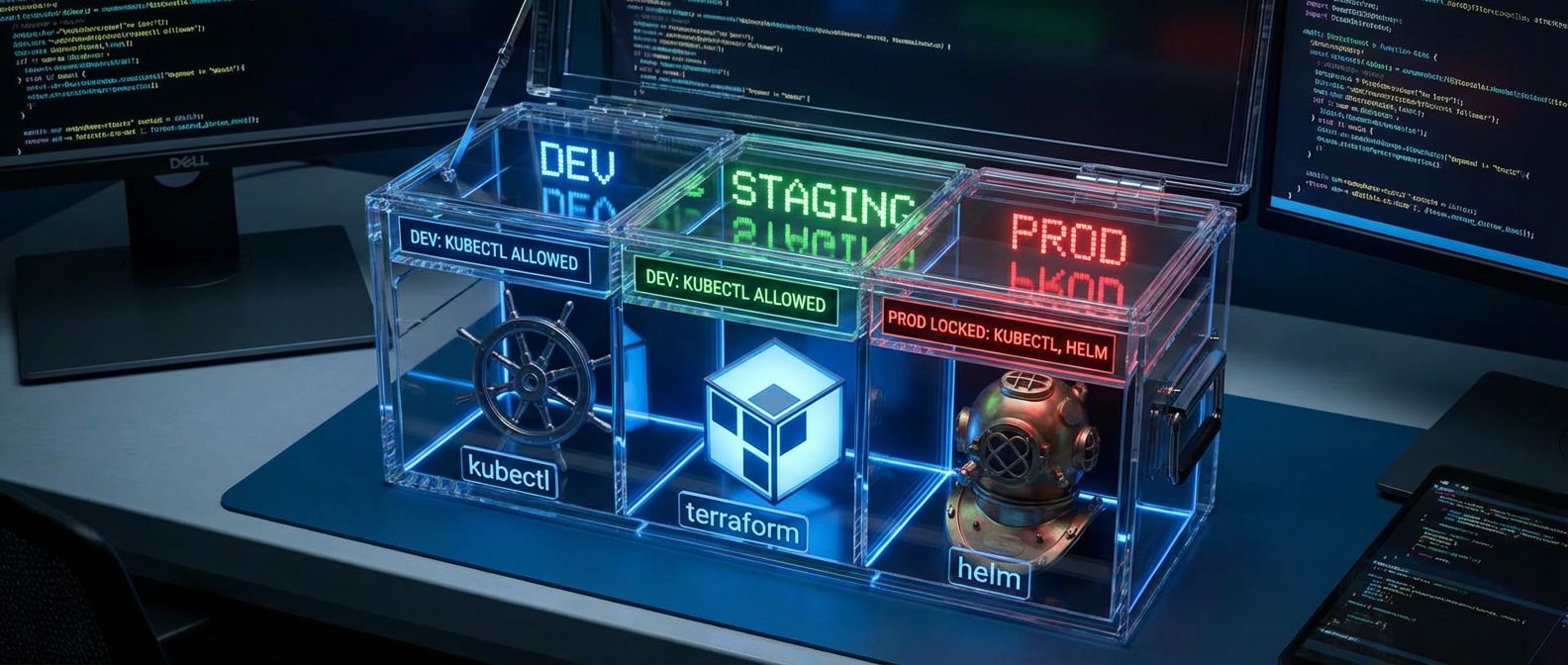
Table of Contents
Platform teams love building internal CLIs. I’ve built several myself - wrappers around kubectl, terraform, helm, and various deployment pipelines. Some of these genuinely improved developer experience: hiding multi-step complexity, enforcing standards, preventing the kind of mistakes that page you at 3am. Others became maintenance nightmares that lagged behind upstream releases, broke in subtle ways, and required developers to learn both the wrapper and the underlying tool to troubleshoot problems.
The pattern is predictable. A platform team builds deploy-cli that wraps kubectl and helm. Initially, it’s simpler than raw commands - developers type deploy-cli push myapp instead of a 12-step sequence. Everyone’s happy. Then Kubernetes releases a new feature. Helm updates its flag syntax. The CLI needs updates, but the original author moved to a different team. Developers hit cryptic errors. They start bypassing the CLI. Within a year, the wrapper is abandonware that everyone works around, but nobody removes because “someone might be using it.”
The bar for building a wrapper CLI should be high. Every abstraction layer you add is a maintenance commitment. If the underlying tool’s UX is good enough with documentation and templates, don’t wrap it - improve the docs instead.
I’ve seen this cycle repeat across multiple organizations. The question isn’t whether you can build a wrapper - it’s whether you should, and if you do, how to build it in a way that doesn’t become a liability. This article covers when wrappers genuinely add value, how to design them for transparency and maintainability, the real cost of keeping them healthy, and how to recognize when it’s time to deprecate.
When Wrappers Add Value
Not all wrappers are created equal. Some genuinely earn their maintenance cost; others are solutions looking for problems. Here’s what separates the valuable from the wasteful:
- Complexity hidingThe strongest justification. When a workflow requires five or more manual steps with dependencies and ordering constraints, a wrapper reduces cognitive load and enforces the correct sequence. A deploy-service command that builds, pushes, runs helm upgrade, and executes smoke tests in the right order prevents the "I forgot to push the image before deploying" class of errors. The key criterion: errors in the sequence cause significant problems, not just minor inconvenience.
- Guard railsPrevent dangerous operations or enforce policies. A kubectl-safe wrapper that blocks delete in production without an approval ticket prevents the kind of outages that make the news. This works when the underlying tool allows dangerous operations with severe consequences and the policy can be codified clearly. Don't create security theater - if you can't actually prevent the dangerous operation, don't pretend you can.
- Context injectionAutomatically selects environment-specific configuration. A terraform wrapper that auto-selects workspace, backend, and var files based on your git branch or directory eliminates "I thought I was in staging" mistakes. This is valuable when you have multiple environments with different configs and mixing them up causes real problems - data corruption, customer impact, compliance violations.
- Credential managementHandles authentication complexity transparently. A kubectl wrapper that auto-refreshes tokens and selects the correct cluster config reduces auth friction. This makes sense when auth involves multiple systems, tokens expire frequently, and manual credential management is error-prone.
- Audit loggingCaptures all operations for compliance and debugging. A terraform wrapper that logs who ran what commands when helps with incident investigation and change tracking. Worth building when audit requirements exist and the underlying tool doesn't provide adequate logging.
What Doesn’t Warrant a Wrapper
Some “wrappers” solve problems that have simpler solutions:
- Alias collectionsShorter names for common commands belong in your shell config, not a distributed tool. k instead of kubectl is a shell alias, not a wrapper.
- Hardcoded flag defaultsBetter handled by config files or environment variables. A wrapper that always sets --replicas=3 is inflexible and hides what's happening.
- Output formattingA solved problem. Pretty-printing kubectl output? Use kubectl plugins, jq, or the many existing tools in the ecosystem.
Decision Framework
Before you start writing code, run through these questions honestly. Each “no” is a signal that the simpler path - better docs, shell aliases, or lightweight scripts - will serve you better than a full wrapper. Each “yes” adds weight to the case for building, but also adds to your maintenance commitment.
| Question | If Yes | If No |
|---|---|---|
| Does the workflow require 5+ manual steps? | Consider wrapping | Use scripts/docs |
| Can mistakes cause production outages? | Consider guard rails | Document best practices |
| Do developers frequently make the same errors? | Consider automation | Improve training |
| Will you maintain this for 3+ years? | May be worth building | Use simpler solutions |
| Can you track upstream releases? | Wrapper is viable | Don't wrap |
The best wrappers are thin. They compose underlying tools rather than reimplementing them. They pass through unfamiliar flags. They surface the underlying tool’s help. When developers outgrow the wrapper, the transition to raw tools should be seamless.
Abstraction Design Principles
If you’ve decided a wrapper is worth building, the next question is how to build it so it doesn’t become a liability. The core principle is transparency: your wrapper should add value without hiding what’s happening. Developers should always be able to see the underlying commands, bypass the wrapper when needed, and use their existing tool knowledge.
The Transparent Wrapper Pattern
The transparent wrapper pattern treats the underlying tool as the source of truth. The wrapper adds hooks for context injection, guard rails, and logging, but everything it doesn’t explicitly handle passes through unchanged. Unknown flags? Pass them through. New subcommands? Pass them through. The wrapper should never be the reason a valid command fails.
Here’s the architecture. The parse_args method separates known flags from everything else, and passthrough_args captures anything the wrapper doesn’t recognize:
from __future__ import annotations

import os
import subprocess
from dataclasses import dataclass
from typing import Callable, Dict, List, Tuple

Hook = Callable[[str, Dict[str, str]], "HookResult"]


@dataclass
class HookResult:
  continue_run: bool
  exit_code: int = 0
  added_flags: Dict[str, str] | None = None
  message: str | None = None


@dataclass
class BlockedCommand:
  reason: str
  override: str


@dataclass
class WrapperConfig:
  tool: str
  before_hooks: List[Hook]
  after_hooks: List[Hook]
  blocked_commands: List[BlockedCommand]


class TransparentWrapper:
  def __init__(self, config: WrapperConfig) -> None:
    self.config = config

  def run(self, args: List[str]) -> int:
    command, flags, passthrough_args = self.parse_args(args)

    # Check for blocked commands (guard rails)
    blocked = self.check_blocked(command, flags)
    if blocked:
      print(f"Blocked: {blocked.reason}")
      print(f"Override: {blocked.override}")
      return 1

    # Run before hooks (context injection, validation)
    for hook in self.config.before_hooks:
      result = hook(command, flags)
      if not result.continue_run:
        if result.message:
          print(result.message)
        return result.exit_code
      if result.added_flags:
        flags.update(result.added_flags)

    # Build final command - PASSTHROUGH UNKNOWN FLAGS
    final_args = [
      command,
      *self.flags_to_args(flags),
      *passthrough_args,  # Everything we don't understand passes through
    ]

    # Show what we're actually running (transparency)
    if os.getenv("WRAPPER_DEBUG"):
      print(f"[wrapper] Running: {self.config.tool} {' '.join(final_args)}")

    exit_code = self.exec(self.config.tool, final_args)

    # Run after hooks (logging, notifications)
    for hook in self.config.after_hooks:
      hook(command, flags)

    return exit_code

  def show_help(self) -> None:
    print(f"{self.config.tool} wrapper\n")
    print("Wrapper options:")
    print("  --wrapper-debug    Show underlying command")
    print("  --wrapper-bypass   Skip wrapper logic entirely\n")
    print("All other options pass through to the underlying tool.\n")
    subprocess.run([self.config.tool, "--help"], check=False)

  def parse_args(self, args: List[str]) -> Tuple[str, Dict[str, str], List[str]]:
    # Simplified parser: treat the first arg as command and pass everything else through
    command = args[0] if args else ""
    return command, {}, args[1:]

  def check_blocked(self, command: str, flags: Dict[str, str]) -> BlockedCommand | None:
    # Placeholder: actual matching logic would live here
    if command == "destroy":
      return BlockedCommand(
        reason="Destructive command blocked",
        override="Use --force-destroy with ticket",
      )
    return None

  def flags_to_args(self, flags: Dict[str, str]) -> List[str]:
    return [f"--{key}={value}" for key, value in flags.items()]

  def exec(self, tool: str, args: List[str]) -> int:
    result = subprocess.run([tool, *args], check=False)
return result.returncodeThe --wrapper-debug and --wrapper-bypass flags are essential. Debug mode shows exactly what command will be executed, so developers can verify the wrapper is doing what they expect. Bypass mode lets them skip the wrapper entirely when they hit edge cases - and there will be edge cases.
Notice what the transparent wrapper doesn’t do: it doesn’t parse kubectl’s output, it doesn’t assume specific flag formats, and it doesn’t try to interpret what the user is doing beyond the minimum needed for guard rails. This restraint is what makes it maintainable. When kubectl adds a new flag in version 1.32, the wrapper doesn’t need to change - the flag passes through automatically.
Context Injection
Context injection is one of the highest-value wrapper features, but it’s also where wrappers can go wrong. The rule is simple: always show the injected context, never hide it.
A kubectl wrapper that silently switches to production because you’re on the main branch is a disaster waiting to happen. A wrapper that shows you it detected production context and asks for confirmation? That’s genuinely useful.
The following example builds on the transparent wrapper pattern, adding environment detection based on git branches, directory structure, or explicit environment variables. The key design choice: the wrapper displays detected context visually before destructive operations, so there’s no ambiguity about which cluster you’re targeting.
from __future__ import annotations

import os
from dataclasses import dataclass
from typing import List


@dataclass
class EnvironmentContext:
  cluster: str
  namespace: str
  environment: str
  region: str


class ContextInjector:
  def detect_context(self) -> EnvironmentContext:
    # Detection hierarchy: explicit > git branch > directory > default
    if os.getenv("DEPLOY_ENV"):
      return self.load_context(os.getenv("DEPLOY_ENV"))

    branch = self.get_git_branch()
    if branch and branch.startswith(("dev", "staging", "prod")):
      return self.load_context(branch.split("-")[0])

    cwd = os.getcwd()
    if "/environments/" in cwd:
      env_dir = cwd.split("/environments/")[1].split("/")[0]
      return self.load_context(env_dir)

    return self.load_context("dev")

  def display_context(self, ctx: EnvironmentContext) -> None:
    print("┌─────────────────────────────────────┐")
    print(f"│ Environment: {ctx.environment.ljust(22)}│")
    print(f"│ Cluster:     {ctx.cluster.ljust(22)}│")
    print(f"│ Namespace:   {ctx.namespace.ljust(22)}│")
    print("└─────────────────────────────────────┘")

  def load_context(self, env: str | None) -> EnvironmentContext:
    # Simplified loader for example purposes
    environment = env or "dev"
    return EnvironmentContext(
      cluster=f"{environment}-cluster",
      namespace="default",
      environment=environment,
      region="us-east-1",
    )

  def get_git_branch(self) -> str | None:
    # Placeholder for git branch detection
    return None


class KubectlWrapper:
  def __init__(self, context_injector: ContextInjector) -> None:
    self.context_injector = context_injector

  def run(self, args: List[str]) -> int:
    context = self.context_injector.detect_context()

    # Always show context for destructive operations
    if self.is_destructive(args):
      self.context_injector.display_context(context)
      if context.environment == "production":
        confirmed = self.confirm_production()
        if not confirmed:
          return 1

    # Inject context, but don't override explicit user flags
    context_flags = [
      f"--context={context.cluster}",
      f"--namespace={context.namespace}",
    ]
    final_args = self.merge_flags(context_flags, args)

    return self.exec("kubectl", final_args)

  def is_destructive(self, args: List[str]) -> bool:
    destructive_verbs = {"delete", "drain", "cordon", "taint", "scale"}
    return any(arg in destructive_verbs for arg in args)

  def confirm_production(self) -> bool:
    return input("Confirm production operation (yes/no): ") == "yes"

  def merge_flags(self, injected: List[str], args: List[str]) -> List[str]:
    # Simple merge: only inject flags if user did not provide them
    provided = {arg.split("=")[0] for arg in args if arg.startswith("--")}
    filtered = [flag for flag in injected if flag.split("=")[0] not in provided]
    return [*args, *filtered]

  def exec(self, tool: str, args: List[str]) -> int:
    # Placeholder for subprocess execution
    print(f"Running: {tool} {' '.join(args)}")
return 0The detection hierarchy matters: explicit environment variables override git branch detection, which overrides directory structure, which overrides defaults. This gives users control - if they set DEPLOY_ENV=production, the wrapper respects that even if they’re on a dev branch. And critically, the wrapper never overrides flags the user explicitly provided.
Always show injected context. Hidden magic leads to “I thought I was in dev” incidents. A clear banner showing environment, cluster, and namespace before each command prevents mistakes and builds trust in the wrapper.
Guard Rails Implementation
Guard rails are the second high-value wrapper feature. The idea is simple: intercept commands before they reach the underlying tool, check them against a set of rules, and block dangerous operations unless the user explicitly acknowledges the risk.
What to Block
The most valuable guard rails prevent operations that are both easy to trigger accidentally and hard to recover from. For kubectl, that means:
- Namespace deletionIn production or staging, a single command can wipe out an entire service
- Bulk deletionUsing --all flags, it becomes too easy to delete more than intended
- Direct editsTo deployments, statefulsets, or daemonsets causes drift from GitOps state
- Interactive shellsIn production without audit logging are a compliance nightmare
- Scaling to zeroBlocks all traffic, and developers sometimes do this thinking it's a "safe" way to test
For terraform, the high-risk operations are:
- DestroyIn production - obvious, but worth blocking anyway
- Auto-approveIn production or staging - bypasses plan review
- State manipulation(rm, mv, push) - can corrupt state and cause resource orphaning
- ImportWithout review - can corrupt state if done wrong
The pattern across both tools: block operations that are destructive, hard to undo, or bypass normal review processes.
The Override Mechanism
Here’s where many guard rails go wrong: they block operations with no escape hatch. Then an emergency happens at 2am, the on-call engineer can’t perform a necessary operation, and they bypass the wrapper entirely - or worse, they find some workaround that’s even more dangerous.
Every blocked operation needs an override. The override should:
- 1Require explicit acknowledgmentNot just a --force` flag, but something that makes the user stop and think
- 2Create an audit trailLog who overrode the rule, when, and why
- 3Reference external authorizationA ticket number, a change management ID, or a reviewer's approval
A good block message looks like this:
BLOCKED: Namespace deletion requires manual approval

Command: kubectl delete namespace payments
Environment: production

To proceed: Use --force-delete with ticket number
Example: kube delete namespace payments --force-delete=TICKET-123The user knows why it’s blocked, how to proceed if necessary, and the ticket number creates accountability.
Environment-Specific Rules
Not every guard rail applies everywhere. Blocking terraform destroy in production makes sense; blocking it in dev is just friction. Design your rules with environment awareness:
| Operation | Dev | Staging | Production |
|---|---|---|---|
| Namespace deletion | Allow | Block (with override) | Block (with ticket) |
| Bulk deletion | Allow | Allow | Block (with ticket) |
| Direct resource edits | Allow | Block (GitOps only) | Block (GitOps only) |
| Terraform destroy | Allow | Block (with override) | Block (with CM ticket) |
| State manipulation | Allow | Block (with reviewer) | Block (with reviewer) |
This tiered approach lets developers move fast in dev, adds friction in staging to catch mistakes before they hit production, and requires formal authorization for high-risk operations in production.
Guard rails must have escape hatches. Emergencies happen. The goal is to slow down and create an audit trail, not to completely prevent necessary operations. A hard block with no override leads to developers bypassing the wrapper entirely.
Maintenance Burden
This is the part that kills most wrappers. Building the initial version takes a few weeks. Maintaining it for years takes ongoing commitment that most teams underestimate.
Tracking Upstream Releases
Your wrapper depends on tools that release frequently. kubectl has minor releases every four months. Terraform releases every few weeks. Each release can introduce new flags, deprecate old ones, change output formats, or alter behavior in subtle ways.
You need a system for tracking these releases. At minimum, subscribe to release notes and changelog feeds. Better: set up automated notifications when new versions drop. Best: run your test suite against new versions automatically in CI before anyone on your team upgrades.
The support window matters too. Most teams find that supporting the current version plus two previous minor versions is sustainable. That means when kubectl 1.31 releases, you can drop 1.28 support - but you need to communicate that clearly. Give users 30 days notice before dropping version support.
Compatibility Testing
The most common wrapper failure mode is silent breakage. A new kubectl version changes how --dry-run works. Your wrapper doesn’t crash - it just passes through the flag and kubectl does something unexpected. Users blame kubectl. Then they bypass your wrapper.
Your test suite needs to catch this. Use nox or tox to run your pytest suite against multiple tool versions. The key tests:
- Passthrough verification
- Unknown flags should reach the underlying tool unchanged. New versions may add flags your wrapper doesn't know about, and they should work.
- Output preservation
- If kubectl's output format changes, your wrapper shouldn't break. Don't parse output unless absolutely necessary, and if you do, test against multiple versions.
- Complex argument handling
- JSONPath expressions, label selectors, and other complex arguments are easy to mangle. Test that kube get pods -o jsonpath='{ .items[*].metadata.name }' passes through exactly as written.
- Guard rail accuracy
- Your blocked patterns should match what you intend to block, no more, no less. Test both positive cases (this should be blocked) and negative cases (this should be allowed).
Run this test matrix in CI on every PR, and run it against new upstream versions as soon as they’re released. When tests fail against a new version, you’ll know immediately - not when a user files a bug report.
The Real Cost
Be honest about what you’re signing up for:
| Maintenance Task | Frequency | Effort | Risk if Skipped |
|---|---|---|---|
| Upstream version testing | Monthly | 2-4 hours | Wrapper breaks on upgrade |
| Dependency updates | Weekly | 1 hour | Security vulnerabilities |
| Flag compatibility check | Per upstream release | 2-4 hours | Silent failures |
| Documentation updates | Per wrapper change | 1-2 hours | User confusion |
| Deprecation warnings | Quarterly | 2 hours | Surprise breaking changes |
That’s roughly 8-12 hours per month of ongoing maintenance for a healthy wrapper. If you can’t commit to that, don’t build the wrapper.
Build compatibility testing into CI. Run your wrapper’s test suite against multiple versions of the underlying tool. When a new version breaks tests, you’ll know immediately - not when a developer files a bug report.
Packaging and Distribution
You’ve built a wrapper. Now you need to get it into developers’ hands and keep it updated. The distribution story is as important as the code itself - a wrapper that’s hard to install or update won’t get adopted.
Documentation as Source
Write your documentation in Markdown. It’s the format developers expect, it renders well on GitHub and internal wikis, and it converts cleanly to other formats. Structure it to serve multiple purposes:
# kube(1) - kubectl wrapper with context injection

## SYNOPSIS

kube [*wrapper-options*] *command* [*kubectl-options*]

## DESCRIPTION

kube is a thin wrapper around kubectl that provides automatic context
injection, production guard rails, and audit logging. All unknown flags
pass through to kubectl unchanged.

## WRAPPER OPTIONS

--wrapper-bypass
: Skip all wrapper logic and run kubectl directly.

--wrapper-debug
: Show the kubectl command that will be executed.

## CONTEXT DETECTION

The wrapper detects environment from (in order of precedence):

1. DEPLOY_ENV environment variable
2. Git branch prefix (dev-, staging-, prod-)
3. Directory path containing /environments/
4. Default: dev

## BLOCKED OPERATIONS

In production, these operations require explicit override:

- Namespace deletion: use --force-delete=*TICKET*
- Bulk deletion with --all: use --force-delete=*TICKET*
- Direct resource edits: use GitOps workflow instead

## EXAMPLES

    kube get pods
    kube apply -f deployment.yaml
    kube delete namespace test --force-delete=TICKET-123
    WRAPPER_DEBUG=1 kube get pods

## SEE ALSO

kubectl(1), kubectl-config(1)This format uses definition lists (the colon syntax) that pandoc converts cleanly to man page formatting. The section headers follow man page conventions: SYNOPSIS, DESCRIPTION, OPTIONS, EXAMPLES, SEE ALSO.
Generating Man Pages
Convert your Markdown to troff format so users can run man kube:
# Convert markdown to man page
pandoc docs/kube.md -s -t man -o man/man1/kube.1

# Test locally
man ./man/man1/kube.1
Add this to your build process. If you’re using a Python project with setuptools or hatch, include the generated man page in your package data. For a standalone distribution, install to the standard location:
# System-wide (requires root)
install -m 644 man/man1/kube.1 /usr/local/share/man/man1/

# User-local
install -m 644 man/man1/kube.1 ~/.local/share/man/man1/
The same Markdown source generates your README, your wiki page, and your man page. One source of truth, multiple output formats.
Distribution Channels
For internal tools, you have several options depending on your organization’s infrastructure:
- Internal PyPIIf you have an internal package index (Artifactory, CodeArtifact, a simple pypiserver), publish there. Users install with pip install kube-wrapper --index-url https://pypi.internal.company.com/simple. This works well for Python shops and handles dependencies automatically.
- Homebrew tapFor macOS and Linux users, a private Homebrew tap provides a familiar installation experience. Create a tap repository with a formula that downloads your release tarball:
class Kube < Formula
  desc "kubectl wrapper with context injection and guard rails"
  homepage "https://github.internal.company.com/platform/kube-wrapper"
  url "https://github.internal.company.com/platform/kube-wrapper/releases/download/v2.3.0/kube-2.3.0.tar.gz"
  sha256 "abc123..."

  def install
    bin.install "kube"
    man1.install "man/kube.1"
  end
end- Direct download- The simplest option. Publish release tarballs to your artifact storage or GitHub releases. Provide a one-liner install script that downloads, extracts, and adds to PATH. Less elegant but works everywhere.
- Container imageFor CI / CD pipelines or teams that prefer containers, publish an image with your wrapper pre-installed alongside kubectl / terraform. Users run docker run company/kube-wrapper get pods.
Whatever distribution method you choose, make updates easy. A wrapper that’s painful to update will fall behind, and users will bypass it rather than deal with version drift.
For pip-distributed wrappers, pip install --upgrade handles it. For Homebrew, brew upgrade works. For direct downloads, consider adding a self-update command:
kube --self-update
# Checking for updates... v2.3.0 -> v2.4.0 available
# Download and install? [y/N]
At minimum, have the wrapper check for updates periodically and notify users when a new version is available. Don’t auto-update without consent - that’s surprising behavior for a CLI tool - but do make the update path obvious.
The best distribution is the one your team already uses. If everyone’s on Homebrew, use a tap. If you have a mature Python ecosystem, use PyPI. Don’t introduce new package management just for one tool.
Signs Your Wrapper Is Failing
Wrappers fail slowly. They don’t crash spectacularly - they accumulate friction until developers quietly stop using them. By the time you notice, the wrapper is already dead.
I watched this happen at a previous company. The platform team built tf-deploy, a terraform wrapper that handled workspace selection, backend configuration, and approval workflows. Initially, it worked well. Then AWS released new provider features. Terraform 1.5 changed how some flags worked. The wrapper’s maintainer went on parental leave. Within six months, the wrapper was three terraform versions behind. Developers started running terraform directly “just this once” - which became “always for this project” - which became “I don’t even have tf-deploy installed anymore.” By the time anyone noticed, adoption had dropped below 30%. The wrapper was eventually deprecated, but not before causing confusion for a year.
Here’s how to recognize the warning signs early.
Red Flags
- Developers bypass the wrapper.This is the clearest signal. When you see people running raw kubectl or terraform instead of your wrapper, something's wrong. Maybe the wrapper is slower. Maybe it breaks features they need. Maybe the error messages are confusing. Maybe your guard rails are too restrictive for legitimate workflows. Survey your users to find out which, then fix it or deprecate.
- New hires learn the wrapper before the tool.If your onboarding involves "first, forget what you know about kubectl and learn our wrapper instead," you've created a proprietary abstraction that doesn't transfer. New developers can't use Stack Overflow answers or official documentation to solve problems. The wrapper should be a thin layer on top of kubectl knowledge, not a replacement for it.
- Upstream releases cause anxiety.When a new kubectl version drops, does your team feel dread? That's a sign your wrapper is too tightly coupled to implementation details. Parsing output formats, assuming specific flag syntax, relying on undocumented behavior - these create fragile dependencies that break on every upgrade. A well-designed wrapper should handle new versions with minimal changes.
- Documentation is always out of date.This usually means the wrapper has too many features. Every wrapper-specific concept requires documentation. If you can't keep up, the surface area is too large. Reduce the wrapper's scope, automate documentation generation, or accept that users will be confused.
- Only one person can maintain it.The "wrapper expert" who wrote the original code is also the only one who can fix bugs. This is a bus factor problem, but it's also a complexity signal. If the wrapper is simple enough, anyone on the team should be able to understand and modify it. If it requires deep specialized knowledge, it's probably doing too much.
If you want to be rigorous about wrapper health, track these metrics:
| Metric | Healthy | Warning | Critical |
|---|---|---|---|
| Adoption rate | > 80% of commands through wrapper | 50-80% | < 50% |
| Bypass rate | < 5% use --bypass | 5-20% | > 20% |
| Update lag | Within 1 week of upstream | 1-4 weeks | > 4 weeks |
| Bug reports | < 1 per month | 1-4 per month | > 4 per month |
Adoption rate is the primary metric. If most developers use the wrapper for most commands, it’s providing value. If half your team has quietly switched back to raw kubectl, the wrapper has failed regardless of how elegant the code is.
Bypass rate tells you about edge cases. Some bypass usage is expected - that’s why you built the escape hatch. But if 20% of commands use --wrapper-bypass, users are hitting limitations constantly. Either the wrapper is too restrictive or it’s breaking workflows.
Update lag measures maintenance health. Falling behind on upstream versions means users can’t access new features, and you’re accumulating technical debt. If you’re consistently weeks behind kubectl releases, the maintenance burden is unsustainable.
When to Pull the Plug
Sometimes the right answer is deprecation. Consider it when adoption drops below 50% despite attempts to fix pain points, when the original justification no longer applies, when maintenance burden exceeds the value provided, or when the single maintainer is leaving and no one wants to take over.
If developers routinely bypass your wrapper, it’s already failed. A wrapper that people work around is worse than no wrapper - it’s complexity with no benefit. Either fix the pain points or deprecate gracefully.
Deprecation Path
Deprecation isn’t failure. A wrapper that served its purpose for three years and then got retired because the ecosystem caught up is a success story. The failure is keeping a zombie wrapper alive because nobody wants to admit it’s not working.
When it’s time to sunset a wrapper, do it gracefully. A sudden removal leaves users stranded. A drawn-out deprecation creates confusion. The right approach is a phased sunset with clear communication.
The Four-Phase Sunset
- 1Phase 1: Announcement (30 days).Show a deprecation notice on every wrapper invocation. Be specific about the timeline and provide a link to migration documentation. The notice should explain whyyou're deprecating, not just when.
╔══════════════════════════════════════════════════════════════════╗
║  DEPRECATION NOTICE: kube wrapper will be retired in 90 days     ║
║                                                                  ║
║  Why: kubectl's native features now cover our use cases          ║
║  Migration: https://wiki.company.com/kube-migration              ║
║  Questions: #platform-support                                    ║
╚══════════════════════════════════════════════════════════════════╝- 2Phase 2: Migration assistance (60 days).After each wrapper command, show the equivalent raw command. This teaches users what to type without the wrapper and surfaces any hidden complexity they weren't aware of.
- 3Phase 3: Opt-in only (30 days).Flip the default. The wrapper no longer runs unless users explicitly enable it with a flag like --use-wrapper. Most users will have migrated by now; this phase catches the stragglers and forces anyone still dependent to acknowledge it.
- 4Phase 4: Removal.Remove the wrapper. Replace it with a stub that prints a final notice pointing to the migration guide, then exits. Keep the stub for a few months so users who missed the deprecation get a helpful message instead of "command not found."
The migration guide is the most important artifact. For each wrapper feature, document the native alternative:
| Wrapper Feature | Alternative |
|---|---|
| Auto-context selection | kubectl config use-context or kubie |
| Production confirmation | OPA Gatekeeper policies (in-cluster enforcement) |
| Audit logging | Kubernetes audit logs |
| Command shortcuts | Shell aliases in ~/.bashrc or ~/.zshrc |
Don’t just say “use kubectl.” Show the specific commands, configuration changes, and tools that replace each wrapper capability. If the migration requires installing something new (like OPA Gatekeeper), acknowledge that and provide setup instructions.
When deprecating a wrapper, provide concrete alternatives for every feature. “Use kubectl” isn’t helpful. “Use kubectl config use-context for environment switching, OPA Gatekeeper for guard rails, and Kubernetes audit logs for compliance” is actionable.
Conclusion
Most internal CLI wrappers shouldn’t exist. Before building one, exhaust the alternatives: shell aliases, config files, documentation, training.
But when wrappers are worth building - for genuine complexity hiding, meaningful guard rails, or critical context injection - build them well. Design for transparency: pass through unknown flags, show underlying commands, provide bypass modes. Commit to ongoing maintenance. Monitor adoption and bypass rates to catch problems early. And build with eventual deprecation in mind - the best outcome is retirement because the ecosystem caught up or your team outgrew the need.
A successful wrapper eventually gets deprecated - not because it failed, but because users learned the underlying tool and the ecosystem caught up. Build wrappers with their eventual retirement in mind. The goal is empowerment, not dependence.
The goal isn’t to build a wrapper that lasts forever. It’s to build one that serves its purpose, helps your team work safely, and steps aside gracefully when it’s no longer needed.
Sharethisarticle
Enjoyed the read? Share it with your network.