Table of Contents
- Client
- Regional Logistics Provider
- Industry
- Logistics & Supply Chain
- Project Type
- Cloud Migration
- Duration
- 6 months
Overview
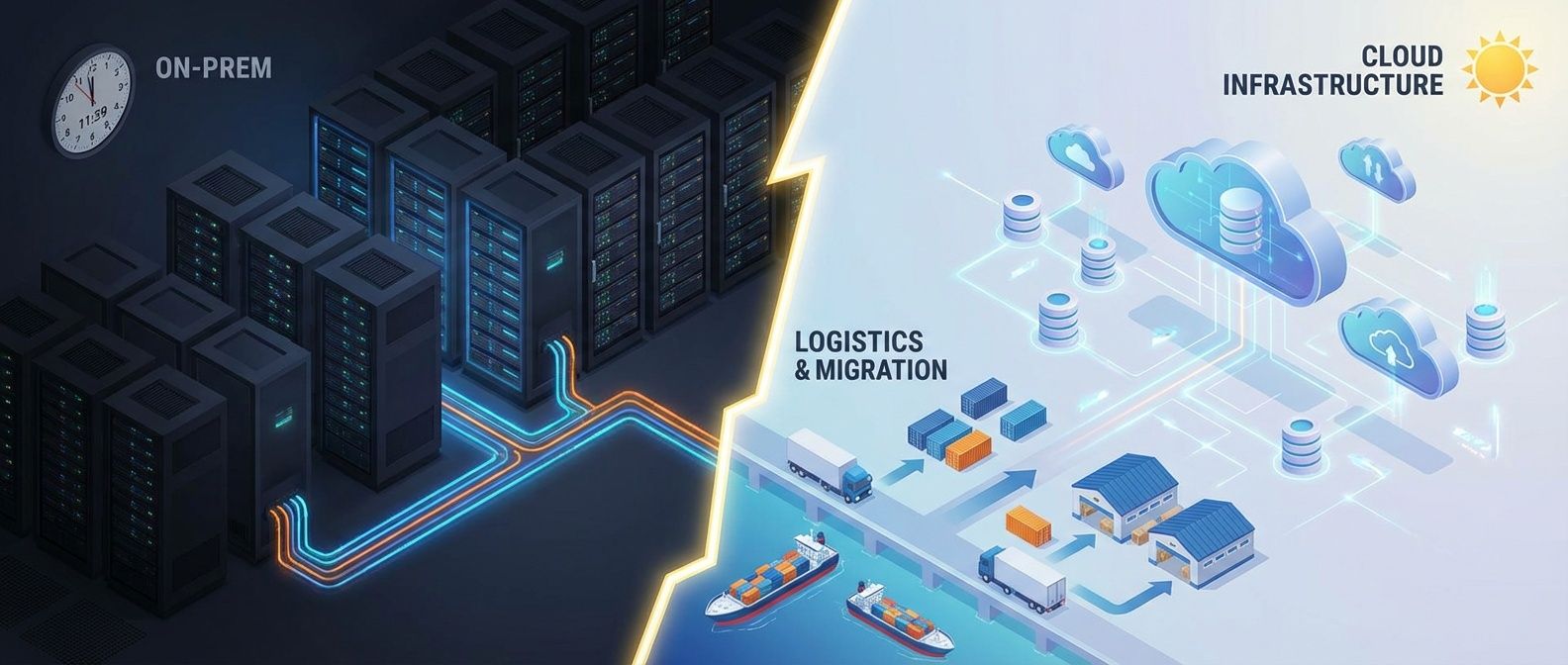
A regional logistics company needed to migrate their .NET Framework and AngularJS platform off colocated servers in a data center and onto Azure, modernizing to .NET 8 and Angular along the way, all without disrupting the 24/7 operations that processed 50,000 shipments daily. We completed the migration and modernization in six months with zero unplanned downtime, reduced infrastructure costs by 35%, and enabled the real-time tracking capabilities their customers had been demanding.
The Challenge
The company was losing bids. Competitors were offering real-time package tracking, enterprise customers were asking for API integrations that the legacy system couldn’t support, and RFP after RFP came back with “does not meet technical requirements.” The business pressure was undeniable.
The client was a mid-sized regional logistics provider with 200+ employees running on colocated servers in a third-party data center. Their colocation contract was expiring in eight months, and renewal terms had doubled in price. Even without that deadline, the stack was holding them back. The core platform was a .NET Framework 4.6.2 monolith with an AngularJS 1.5 frontend, running on Windows Server 2012 R2 boxes. The hardware was aging out of support, Entity Framework 6 queries were choking under peak season load, and every maintenance window meant a 4-hour gap where drivers couldn’t update delivery status.
What made this harder: logistics never stops. Trucks roll 24/7, 365 days a year. The dispatch system, the tracking platform, and the warehouse management software all needed to keep running throughout the migration. The internal development team knew .NET Framework inside and out but had never worked with .NET 8, Angular, or Azure. And the budget didn’t allow for running both environments in parallel for long.
The technical debt was stacked deep. AngularJS had been end-of-life since 2021. The .NET Framework monolith couldn’t run on Linux, ruling out containerization without a rewrite. Stored procedures in SQL Server handled business logic that should have been in application code. NuGet packages were pinned to versions that hadn’t been updated in years, some with known CVEs. And the frontend was a single 40,000-line AngularJS application with no module boundaries and no tests.
The Approach
We started with a two-week assessment phase. I mapped every application, database, and integration point in the existing environment. This audit surfaced 38 distinct applications and services, a core SQL Server database with 340 tables, a secondary reporting database, and a dozen undocumented integrations with carrier EDI systems that nobody on the current team had built. The .NET Framework monolith had 23 WCF service endpoints that the AngularJS frontend and several internal tools consumed. This discovery significantly shaped our timeline.
The strategy was a phased modernization with infrastructure migration. Unlike a pure lift-and-shift, we couldn’t just move the .NET Framework monolith to Azure VMs and call it done, since the whole point was to get off an unsupported stack. But we also couldn’t rewrite everything at once. The approach was to migrate the infrastructure to Azure first, then incrementally port the application from .NET Framework to .NET 8 and replace the AngularJS frontend with Angular.
We chose Azure because the team’s existing SQL Server expertise translated directly to Azure SQL Database, the .NET ecosystem has first-class Azure support, and Azure DevOps provided a familiar CI/CD environment for a team already using Team Foundation Server.
The migration happened in four phases:
| Phase | Weeks | Focus | Risk Level |
|---|---|---|---|
| 1 | 1-6 | Non-critical systems to Azure: internal tools, reporting database, dev environments | Low |
| 2 | 7-12 | SQL Server migration via Azure DMS, .NET Framework monolith to Azure VMs as interim step | Medium |
| 3 | 13-20 | .NET 8 port of core services, Angular rewrite of tracking UI, containerization to Azure Container Apps | High |
| 4 | 21-24 | Cutover of dispatch system, decommission of colocated servers | High |
Phase 1 let the team build muscle memory with Azure services before touching anything customer-facing. Phase 2 moved the SQL Server databases via Azure Database Migration Service with ongoing replication, and deployed the existing .NET Framework monolith to Azure VMs as a temporary measure to vacate the colocation facility. Phase 3 was the modernization work, porting the WCF services to ASP.NET Core minimal APIs on .NET 8 and replacing the AngularJS frontend with Angular 17. Phase 4 cut over the remaining dispatch system and shut down the colocated servers.
The .NET Framework to .NET 8 port followed the Microsoft upgrade path: we used the .NET Upgrade Assistant to identify breaking changes, then manually ported service by service. Entity Framework 6 moved to EF Core 8, which required rewriting the LINQ queries that relied on lazy loading and the implicit transaction behavior that EF6 allowed. The WCF services were replaced with ASP.NET Core minimal APIs behind Azure API Management, maintaining the same contracts so internal tools could migrate incrementally.
The AngularJS to Angular rewrite was done module by module. We stood up the new Angular 17 application alongside the legacy AngularJS app using Azure Front Door to route traffic. New features went into Angular, and we migrated existing screens on a priority basis, starting with the customer-facing tracking portal. The AngularJS app continued to serve lower-priority internal screens until each was replaced.
The EDI integrations were the biggest technical obstacle. These connections to FedEx, UPS, and regional carriers had been built by a contractor who’d left years ago. Documentation was nonexistent. We had to reverse-engineer the protocols by capturing traffic and analyzing message formats, then rebuilt the integration layer using Azure API Management with Azure Functions to translate between the legacy EDI formats and modern REST APIs. Azure Private Link provided secure connectivity to carrier endpoints without exposing traffic to the public internet.
The Solution
The target architecture used Azure services that balanced operational simplicity with the team’s learning curve:
- Azure Container AppsThe .NET 8 services ran on Azure Container Apps, eliminating VM management entirely. Auto-scaling based on HTTP traffic and KEDA-based scaling for background queue processors handled peak season load without manual intervention.
- Azure SQL DatabaseReplaced the self-managed SQL Server instances with Azure SQL Database Business Critical tier. Automated backups, point-in-time recovery, built-in high availability with zone redundancy, and managed patching removed a significant operational burden.
- Azure Front DoorGlobal load balancing with built-in WAF and SSL termination. This also enabled the side-by-side Angular / AngularJS deployment, routing traffic by URL path to the appropriate frontend during the transition period.
- Azure DevOps PipelinesReplaced the manual deployment process with CI/CD pipelines. The .NET 8 services built and deployed via Docker containers to Container Apps, and the Angular frontend deployed to Azure Static Web Apps with preview environments for every pull request.
- Azure Monitor and Application InsightsEnd-to-end distributed tracing across the .NET 8 services using OpenTelemetry, integrated with Application Insights dashboards that mirrored the metrics the operations team was used to watching.
For the migration itself, Azure Migrate tracked progress across all workloads. Azure Database Migration Service handled the SQL Server migration with change data capture, keeping the Azure SQL database synchronized with the colocated servers until we were ready to cut over. The .NET 8 port used the strangler fig pattern: new API endpoints ran on Container Apps while legacy WCF endpoints still ran on the Azure VMs, with API Management routing requests to the appropriate backend based on the endpoint path.
The cutover for the tracking platform used a blue-green approach. We ran both environments in parallel for 72 hours, with Azure Front Door gradually shifting traffic from the legacy stack to the modernized .NET 8 / Angular deployment. Operations monitored both dashboards, ready to roll back instantly. The rollback was never needed.
The Results
The migration completed two weeks ahead of the colocation contract deadline. The quantified outcomes:
- Infrastructure costs reduced by 35%The combination of eliminating the colocation lease, avoiding a hardware refresh cycle, and right-sizing resources in Azure dropped monthly infrastructure spend from $89,000 to $58,000.
- Deployment frequency increased from monthly to dailyThe containerized .NET 8 architecture and Azure DevOps pipelines enabled the development team to ship updates without scheduling maintenance windows. Pull request preview environments meant QA could verify changes before they reached production.
- System availability improved from 99.5% to 99.95%Zone-redundant Azure SQL and Container Apps with multiple replicas eliminated the single points of failure that had caused outages in the colocated environment.
- Peak season scaling became automaticThe following holiday season, the .NET 8 services auto-scaled on Container Apps to handle 3x normal traffic. Previously, this would have required ordering hardware two months in advance.
- API response times dropped by 60%The move from .NET Framework WCF services to ASP.NET Core minimal APIs on .NET 8, combined with EF Core query optimizations, cut average API response times from 320ms to 130ms.
- Real-time tracking launched within 60 days of migrationThe Angular frontend with SignalR-backed live updates shipped the feature their customers had been asking for, something that would have been impractical on the AngularJS / .NET Framework stack.
Key Takeaways
- Migrate infrastructure first, then modernize the stack—We moved the .NET Framework monolith to Azure VMs as an interim step to vacate the colocation facility on schedule, then ported to .NET 8 and Container Apps. Trying to do both simultaneously would have blown the deadline.
- The strangler fig pattern works for .NET modernization—Porting WCF services to ASP.NET Core one at a time, with API Management routing between old and new backends, let the team ship incrementally without a risky big-bang cutover.
- Undocumented integrations will surprise you—Budget time for discovery. The EDI integrations we found added three weeks to the timeline. Every legacy environment has these hidden dependencies.
- Side-by-side frontend deployment eases the AngularJS to Angular transition—Running both frontends behind Azure Front Door with path-based routing meant we could migrate screens incrementally. Users never saw a half-finished rewrite.
- Train the team before the critical phases—Moving non-critical systems first was not just about reducing risk. It was about building confidence with Azure, .NET 8, and Angular. By the time we migrated the tracking platform, the team had already done a dozen smaller migrations successfully.